

 NinjaCalc
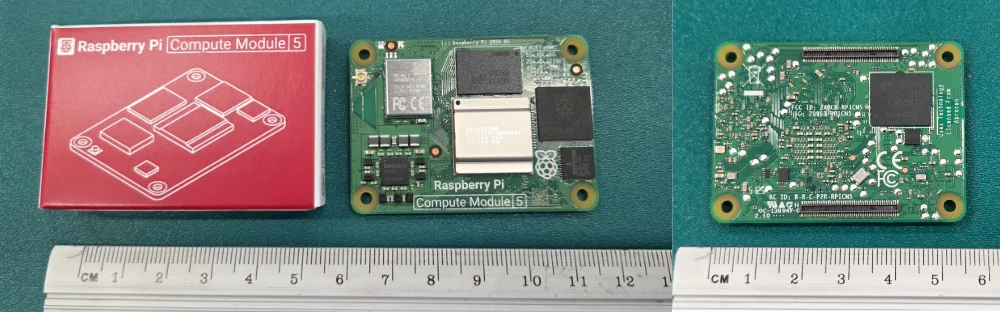
RaspberryPi Compute Modules

CM5 MINIMA
The CM5 MINIMA is a compact carrier board for the Compute Module 5 (CM5) by Seeed Studio1. It measures 61 x 61 mm. It contains:
- USB-C power delivery
- Gigabit Ethernet
- HDMI port
- M.2 M key slot with 2230 and 2242 size support
- CSI/DSI connector
- LIS3DH STM32 accelerometer
- I2C connector
- SPI connector
- Fan connector
- Status LEDs
- nRPI boot switch
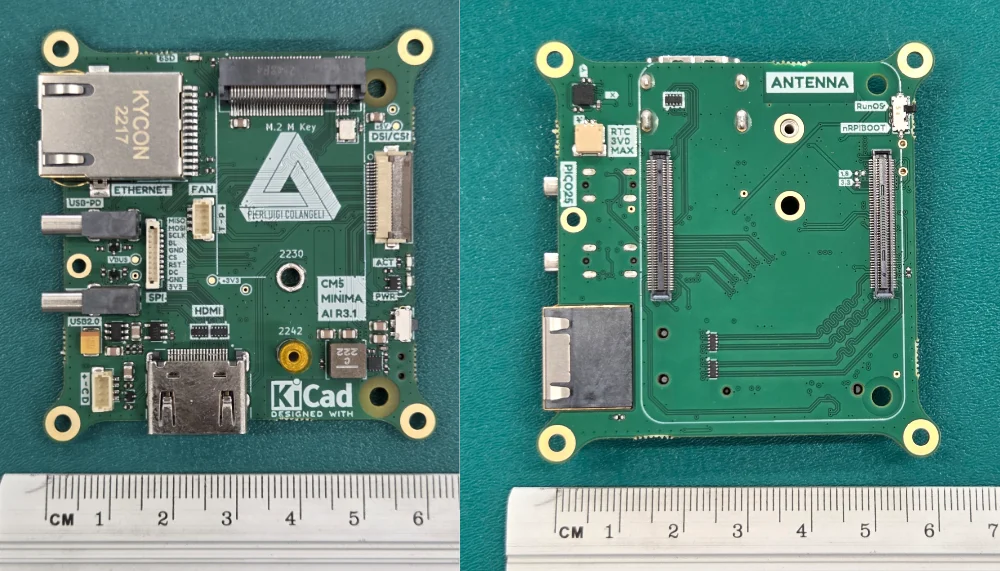
The CM5 MINIMA is powered from the USB Type C port labelled “USB-PD”. When plugged into the official 27 W Rapsberry Pi power supply, it does not negogiate any higher voltage — it uses the default 5.1 V. The other USB Type C port is labelled “USB2.0” and is a standard USB 2.0 port that can be used for connecting peripherals with the RaspberryPi CM5 acting as the host. Note that when you bootload the OS, you must connect the computer to the CM5 via the “USB-PD” port, not the “USB2.0” port.
Installing the OS
The CM5 provides a nRPI_BOOT net over the high-density connectors. This is designed to be controlled from the carrier board. When set to the “on” position, it allows the CM5 to appear as a mass-storage device (not by default — drivers also need to be installed, see below) when connected to a host computer via USB. This allows you to flash the OS onto the CM5’s eMMC storage using the Raspberry Pi Imager or other tools.
On Windows download the latest version of rpiboot from the GitHub releases page (the repo is called usbboot but the program is called rpiboot).
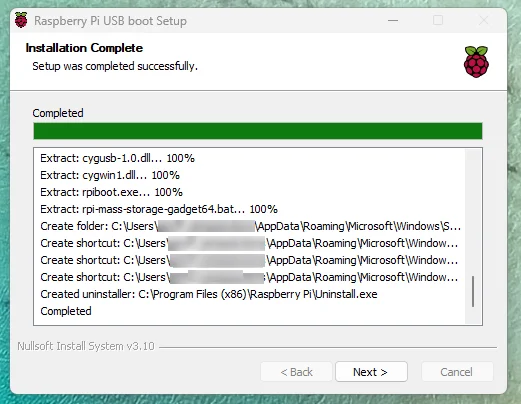
Once it’s installed, add C:\Program Files (x86)\Raspberry Pi to your PATH so you can run rpiboot from the command line.
To install on Linux:
sudo apt install rpibootInstalling:  rpiboot
Summary:  Upgrading: 0, Installing: 1, Removing: 0, Not Upgrading: 163  Download size: 25.9 MB  Space needed: 37.3 MB / 49.1 GB available
Get:1 http://archive.raspberrypi.com/debian trixie/main arm64 rpiboot arm64 20260603~182203 [25.9 MB]Fetched 25.9 MB in 8s (3,139 kB/s)Selecting previously unselected package rpiboot.(Reading database ... 121030 files and directories currently installed.)Preparing to unpack .../rpiboot_20260603~182203_arm64.deb ...Unpacking rpiboot (20260603~182203) ...Setting up rpiboot (20260603~182203) ...
Then connect your CM5 to your computer. On the MINIMA, connect the port labelled USB-PD to your computer, not the port labelled USB2.0.
To run (prefix with sudo on Linux):
rpibootYou should get output similar to the following:
RPIBOOT: build-date 2026/06/03 pkg-version 20260603~182203
Please fit the EMMC_DISABLE / nRPIBOOT jumper before connecting the power and USB cables to the target device.If the device fails to connect then please see https://rpltd.co/rpiboot for debugging tips.
Waiting for BCM2835/6/7/2711/2712...
Directory not specified - trying default /usr/share/rpiboot/mass-storage-gadget64/Sending bootcode.binSuccessful read 4 bytesWaiting for BCM2835/6/7/2711/2712...
Second stage boot serverFile read: mcb.binFile read: memsys00.binFile read: memsys01.binFile read: rp1c0fw1.binFile read: memsys02.binFile read: rp1c0fw2.binFile read: memsys03.binFile read: bootmainSecond stage boot server done
Thermal Management
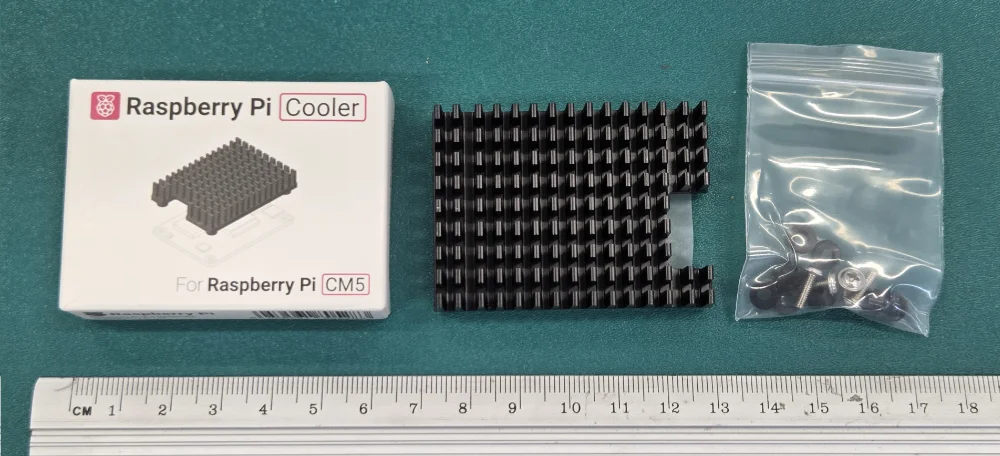
The Raspberry Pi CM5 has an official passive heatsink that can be attached to the top of the CM5.
Footnotes
-
Seeed Studio. CM5 MINIMA - Compact Carrier Board for Raspberry Pi Compute Module 5, M.2 Hailo AI/SSD, CSI/DSI, Gigabit Ethernet, HDMI, USB-C PD [product page]. Retrieved 2026-08-10, from https://www.seeedstudio.com/CM5-MINIMA-p-6485.html. ↩