
 NinjaCalc
How to Sniff Bluetooth Packets

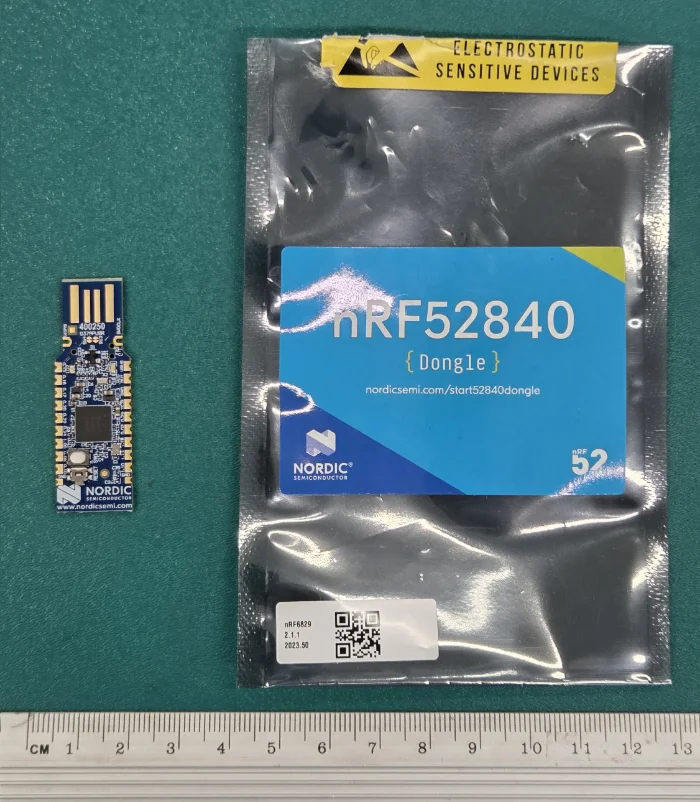
You can sniff Bluetooth BLE packets using Wireshark the nrfutil ble-sniffer command, and a supported nRF hardware BLE radio such as the nRF52840 dongle or nRF52 DK.
Install nrfutil and ble-sniffer
Once nrfutil is installed, install the device and ble-sniffer sub-commands:
nrfutil install devicenrfutil install ble-snifferCopy Capture Tool Into Wireshark Directory
Run:
nrfutil ble-sniffer bootstrapThis copies the necessary Wireshark plugin into the directory that Wireshark expects.
This command also prints the following information, which will be useful in the following steps:
Program a device with the appropriate sniffer firmware. We recommend using `nrfutil-device` for this.
Find the device you would like to program with the following command:
        nrfutil device list
Then, you can program this device with the sniffer firmware with the following command:
        nrfutil device program --firmware <fw> --serial-number <serial-number>
Supported devices-----------------* nRF52840 Dongle (firmware = C:\Users\<user_home_dir>\.nrfutil\share\nrfutil-ble-sniffer\firmware\sniffer_nrf52840dongle_nrf52840_4.1.1.zip)* nRF52840 DK (firmware = C:\Users\<user_home_dir>\.nrfutil\share\nrfutil-ble-sniffer\firmware\sniffer_nrf52840dk_nrf52840_4.1.1.hex)* nRF52833 DK (firmware = C:\Users\<user_home_dir>\.nrfutil\share\nrfutil-ble-sniffer\firmware\sniffer_nrf52833dk_nrf52833_4.1.1.hex)* nRF52 DK (firmware = C:\Users\<user_home_dir>\.nrfutil\share\nrfutil-ble-sniffer\firmware\sniffer_nrf52dk_nrf52832_4.1.1.hex)
Program Sniffer Firmware
First, we need to find the serial number of the plugged in BLE radio. Use nrfutil device list to list compatible devices:
nrfutil device listIn my instance, I had a nRF52840 dongle plugged in. This showed up in Windows as:
FC4FC1966802Product nRF52 ConnectivityPorts COM10Traits nordicDfu, nordicUsb, serialPorts, usbSo I need to use serial number FC4FC1966802. You also need to make sure you use the right firmware as per the information printed above from the nrfutil ble-sniffer bootstrap command. Here is what I ran:
nrfutil device program --firmware C:\Users\<user_home_dir>\.nrfutil\share\nrfutil-ble-sniffer\firmware\sniffer_nrf52840dongle_nrf52840_4.1.1.zip --serial-number FC4FC1966802Open Wireshark and Scan
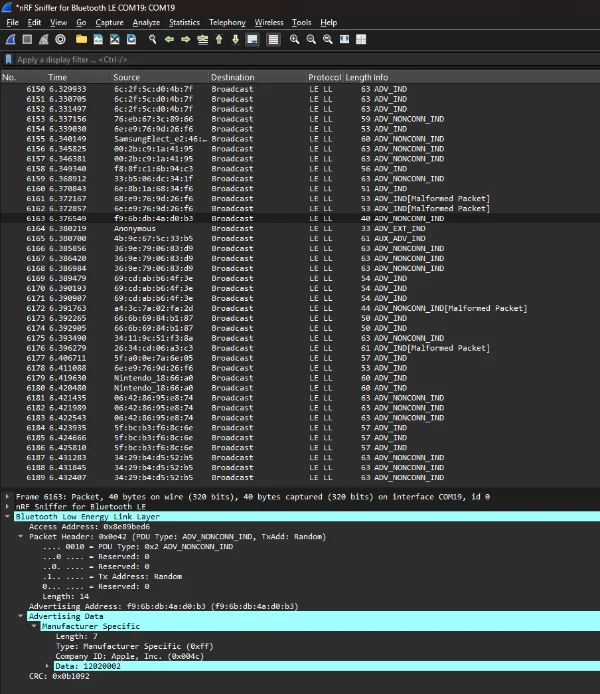
Open Wireshark.
More Options
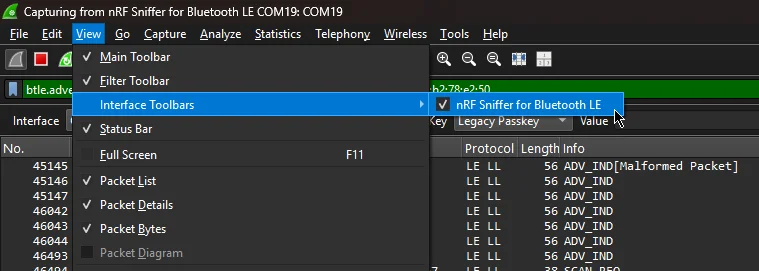
Open the nRF Sniffer interface toolbar in Wireshark as shown below: